

I’m sitting in a visa office, sweating through what should be a routine appointment, when the officer asks for my invitation letter.
It’s on my Mac. At home.
I didn't have it on me - which meant paying $3 to print a page at the counter anyway. But first, I had to actually get the document.
So I pulled out my phone, opened Claude’s Dispatch tab, and typed: “Find my visa docs as I need a few of them.”
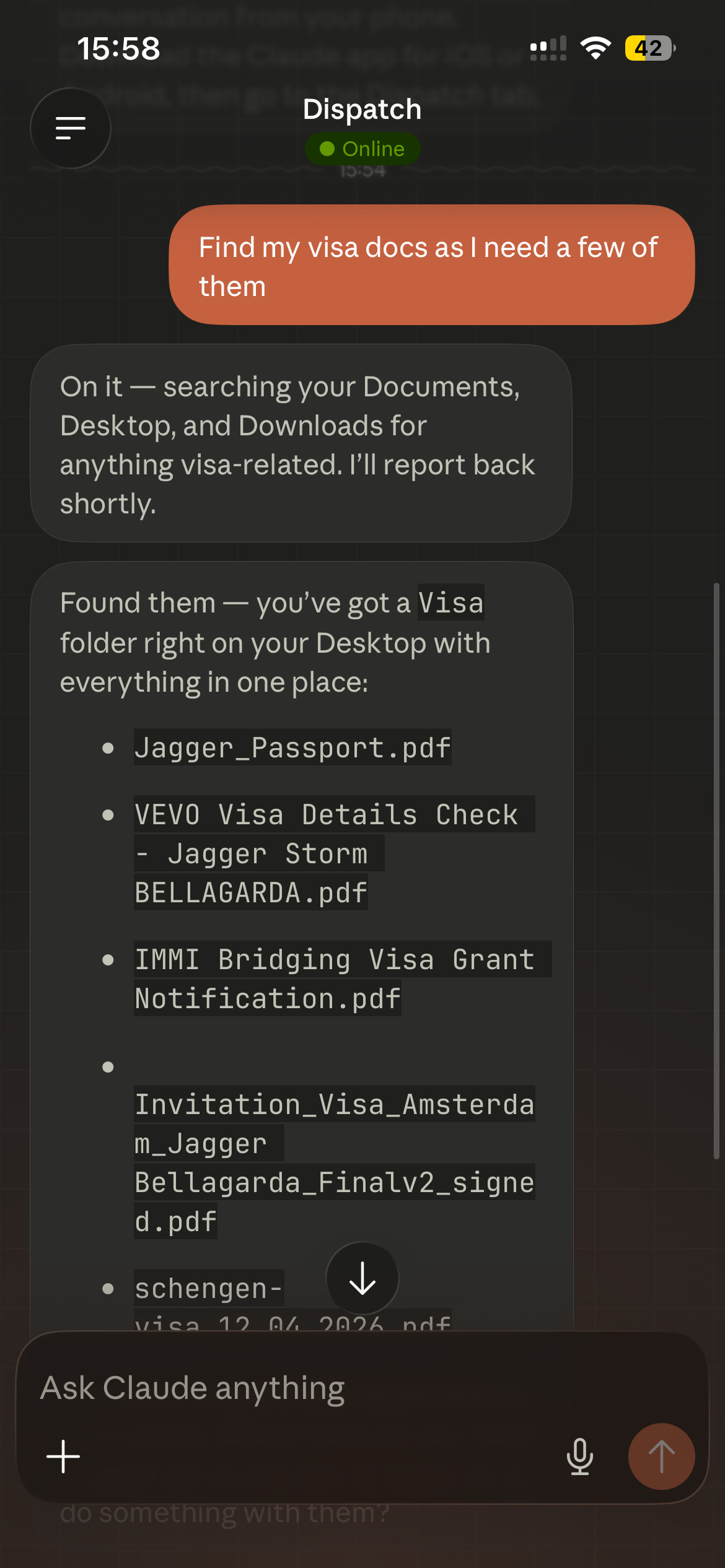
Thirty seconds later, Claude had searched my Documents, Desktop, and Downloads, found a Visa folder sitting right on my Desktop, and listed everything in it. Passport scan. VEVO check. IMMI bridging visa grant notification. Invitation Letter. The full set.
I typed: “Email me my invitation letter.”
Claude used Mac Mail, attached the PDF from my Desktop, and sent it to my Gmail. While I was standing there. While the officer was still processing my other documents.
Here’s what Dispatch actually is, because I think a lot of people are sleeping on it.
It’s a feature in Claude that lets you control your Mac from your phone - like computer use, but for your actual desktop. You leave a session running at home, and from anywhere in the world, you can ask Claude to navigate your machine, find files, open apps, click things, send emails. Real actions on your real computer.
It’s not screen sharing where you’re squinting at a tiny mirror of your desktop. You just... describe what you need, and Claude does it.
There’s something quietly profound about this that I keep thinking about.
AI has been good at generating things - text, images, ideas. That’s impressive but still kind of abstract. What Dispatch represents is AI that retrieves things. Things that already exist in your actual life. Your files. Your emails. Your calendar. Your applications.
The gap between “I need X” and “I have X” collapsing in real time … that’s where AI gets genuinely useful for normal people doing normal things.
Not writing blog posts. Not summarising PDFs. But finding the document you need while you’re sweating in a government office.
If you want to try this yourself, here’s the setup:
Download Claude for desktop (Mac for now)
Enable Dispatch in settings - it keeps a persistent session running in the background
Download Claude on your phone and navigate to the Dispatch tab
Leave your Mac on when you leave the house
That’s it. You now have an AI that can reach into your home computer from wherever you are.
Start with something low-stakes - ask it to find a file, check something in a browser, pull up an email. Get a feel for it. Then you’ll naturally start remembering it exists in the moments that actually matter.
Like a visa office on a Tuesday.
If this made you think of someone who’s always scrambling to find documents at the worst possible time, send it to them.
Cheers, Jagger